
A GOOD FIRST IMPRESSION WITH GOOGLE MY BUSINESS
You undoubtedly know it: the business profile on the right side of Google search results. Here you find all information about a business. At least, depending on what information the business itself has made available. Think of it as the Yellow Pages, but completely customizable to your own preferences! Set up a link to the website, place a pin on Google Maps, list your opening hours and phone number, and make sure customers/guests can leave reviews.
With a Google My Business (GMB) profile you really attract attention. And it also comes across as professional. By the way, a GMB profile brings additional benefits, including regarding the findability of your website. Multiple benefits in one! Curious? Then read on quickly.
Free Strategy Session
Do you want to take your website to the next level? Request a free strategy session now.
Free Strategy Session
Do you want to take your website to the next level? Request a free strategy session now.
Does it take too much time? Or would you simply like to start from scratch and preferably outsource the entire process? No problem, we’ll gladly fix it for you!
What is Google My Business?
Alright, let’s first dive a bit deeper into what Google My Business actually is. Not entirely unimportant of course to have some background knowledge before you dive in completely. As mentioned above, you could compare your GMB profile with a listing in the Yellow Pages. Only in this case your target audience doesn’t have to sift through hundreds of pages before they reach your listing. Google shows your business profile when a user searches for your business in the search engine or Google Maps.
It can also be that your business profile appears when someone searches for a relevant business. Google checks various factors – such as location and relevance – and determines based on that whether your business profile is relevant to the user’s search query. Is your Google My Business profile optimally filled out? Then users have a complete overview of important information about your business.
We put your business directly on the map!
What are the benefits of Google My Business?
Google My Business is a Google tool that displays a local business in Google products, such as Google Maps and Google search results. If you have a business that provides services to customers at a specific location or if you provide services to customers within a designated service area, people can find you through Google My Business. Verified businesses are naturally seen as more trustworthy by users.

1. Information is key
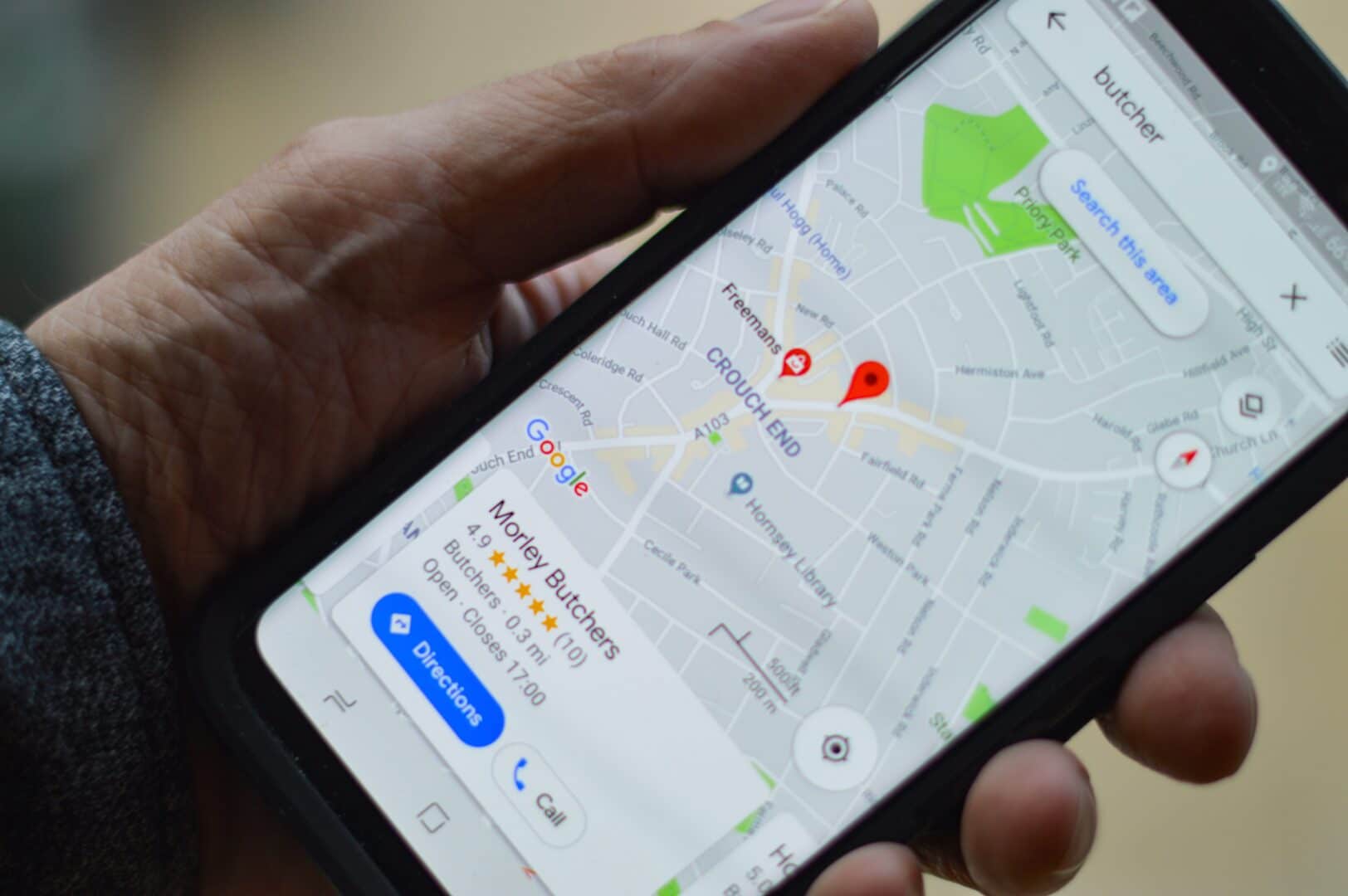
Your GMB profile appears on the right side of the search results. Do you fill it with lots of information? Then it will take up quite a bit of space. Absolutely great, because this attracts the attention of users! By placing lots of information in your business profile, you ensure that users have all the necessary info at their disposal at a glance. Include your phone number, address, opening hours, website, posts and events. The options are endless!
Moreover, customers/guests can also leave information for each other. Google My Business makes it possible to write reviews. This way you build a reputation and ensure that your target audience has quick and easy access to important information about your business.
2. Good for local SEO
A very important benefit is the impact your Google My Business profile has on local SEO. Do you have a GMB profile? Then you’re visible in Google Maps, making it easier to find your business. Moreover, you appear earlier in search results and you also have a chance to appear in Google’s three best suggestions for local businesses.
A-freaking-mazing, because this way you get found even faster and attract more visitors to your website who will ultimately generate higher revenue.

3. Smart Assistants
You either love it, or… you hate it. One thing is certain: you can’t avoid it anymore these days. More and more people use smart assistants like Google Home and Siri at home. Are you looking for a local service? Then there’s a good chance you’ll pick up your phone and ask your question via the smart assistant. And that’s where the Knowledge Graph comes into play again. Based on this information, Google knows exactly what answer the smart assistant should give you back. Super handy, right?!

4. The knowledge graph
Are you looking for specific information, such as the opening hours of a particular business? With the most literal search query like “What are the opening hours of Efteling?”, Google ensures that the answer appears in a so-called knowledge graph above the normal search results.
With your own business page in GMB, you ensure that Google also conjures up such a knowledge graph of your business. Ideal, because this way your customers can see at a glance until when they can visit you. No more scouring websites or making phone calls during a search for opening hours.
5. Answer questions directly
Google My Business makes it possible for customers/guests to ask a question. You can then easily respond to this. This way you offer quick and easy service to your target audience and ensure that other users can read frequently asked questions and answers. Moreover, there’s less chance that other people will contact you with certain questions that have already been asked before. Saves you a lot of time 😉
6. Analyze search queries
Google wouldn’t be Google if the search engine didn’t provide you with insights into background information about how users ended up at your business. You can easily see with which search terms and volumes users found your business.
Can important terms still be added? Then your GMB profile is due for optimization! Add various relevant search terms so your business can also be found that way.

7. Google Street View & Virtual 360 Tour
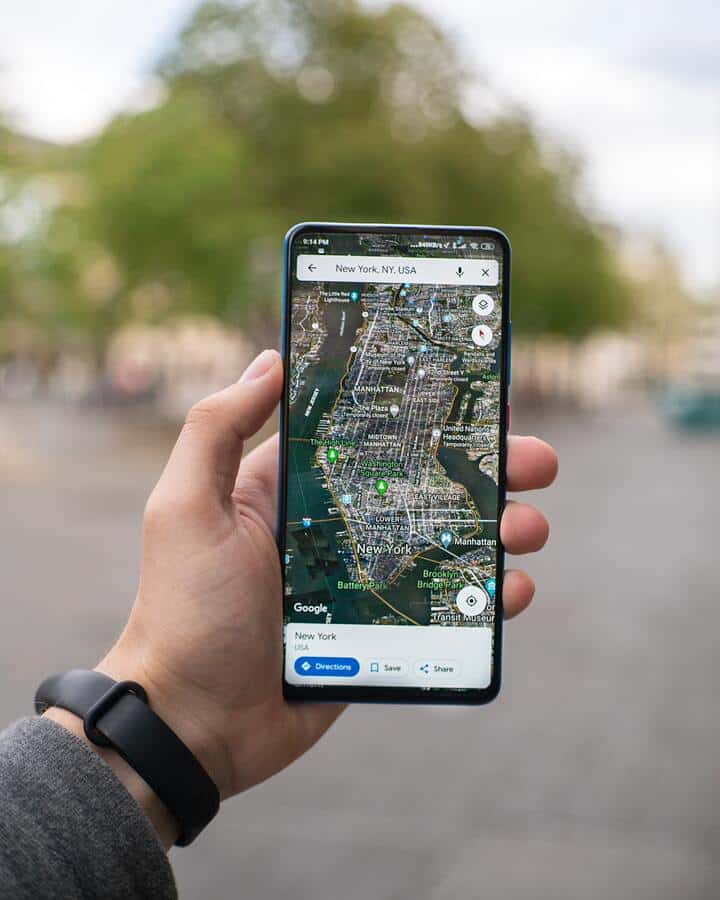
Through this application you can generate a Google Maps Street View Tour at a specific location. This makes it possible to show your target audience much more than just a photo of your business. Give potential guests a virtual tour of your restaurant or ensure that potential customers can already take a virtual look inside your store in advance.
This application also offers the possibility to virtually get acquainted with the outside of your business and the surroundings. Another extra service that positively contributes to the credibility of your business.
Your customers are literally 3 times more likely to book your services if your business is verified on the Google My Business platform.
What should you absolutely not do?
Google My Business offers the free opportunity to connect your business with your target audience. An ideal way to put your business in the spotlight. Besides quickly and easily providing information, a well-set-up GMB profile also brings countless benefits in the area of search engine optimization. But because businesses can fill out their GMB profile themselves, there are also some pitfalls involved. You should definitely NOT do the following:
1. Let’s fake it
Every business naturally wants to represent itself as well as possible. You want to attract customers! But unfortunately there are also businesses that make the picture prettier than it actually is. You might think that adding fake photos and videos could be good for your business’s reputation.
Suppose you don’t have nice photos of your product yet or you haven’t decorated your store as nicely as you would like. The temptation might then be great to use fake photos, but please do NOT do this. Eventually people will find out and this only damages the reputation and credibility of your business. Such a shame of course.
By the way, there are also businesses that add extra – fake – locations to increase their findability and it regularly happens that businesses fake their reviews to come across better. This is of course against Google’s rules and your content can even be removed if you don’t comply with this.

2. Ignoring reviews
Google My Business offers customers/guests the opportunity to leave a review. This can turn out both positively and negatively. A good review is great, but a bad review can drive away potential new customers or guests! You naturally want to prevent that. By interacting with your customers’/guests’ reviews, you add a personal touch to your service. Especially the bad reviews require extra attention. Try to solve the problem nicely by offering apologies, explanations or possibly even compensation.
This way you give the negative review a positive spin. Everyone makes mistakes sometimes, negative reviews are therefore – almost – unavoidable. It’s mainly about how you as a business deal with the negative reviews. Other users also have insight into your answers! Never delete bad reviews, a business with only extremely positive reviews naturally comes across as quite untrustworthy.
3. A ton of categories
GMB offers the possibility to add categories to your business profile. This indicates what your business falls under. Do you have an online marketing agency for example? Then you could add the category ‘Internet marketing’. But the categories ‘Web design’ and ‘Marketing consultant’ could also apply. Now you might think that with as many categories as possible you’ll appear even more often. However, the opposite has long been proven.
Too many categories actually make your business come across as untrustworthy. And Google thinks so too. The algorithm will most likely ensure that instead of being shown more, you’ll be shown less. Want to achieve optimal findability? Then the art is to find the right balance between the number of categories.

4. Bad quality photos
Through Google My Business you can add photos to your business profile. This way you give potential customers or guests a look into your business. These can be photos of products, your store, your menu, your office, your restaurant and your team. Whatever type of photos you use: it says a lot about your business. What we therefore strongly advise against is the use of fake photos. Have you taken some nice photos of customers? Without permission from the customer themselves, these may not be placed on your business profile.
This is against the rules and a violation can lead to the removal of your content. Moreover, it’s also important that your photos are of good quality, comply with Google’s guidelines and are not outdated. Photos of your old menu, items you no longer sell or the previous interior of your hair salon usually don’t work very well.
We make online marketing fun
Outsource Google My Business at ROXTAR
Are you not yet using Google My Business? Or do you think your profile could use some optimization? As an online marketing agency with many years of experience in search engine optimization, we know exactly how to set up your business profile. Become more findable locally in search results, make yourself visible in Google Maps, ensure that customers can directly contact you by phone and gain insight into how customers/guests find your business. Engage our help today in setting up a complete and correctly filled GMB profile and benefit from the many advantages:
- You are more findable in local search results
- Generate reviews for more conversions
- You appear directly on Google Maps, making you better and more often found
- Customers can quickly and easily contact you by phone
- Improve local rankings by setting your service area
- Get more insights into how your customers find your business
Do you want to outsource Google My Business?
To start, it’s useful to create an account first. Fill in all your details and verify your account. It sometimes happens that businesses created a profile a while ago but haven’t verified it yet. Without verification you simply don’t have access to your business account. Google wants to make sure first that you’re really the owner.
Congrats! You’ve now set up your GMB profile. After verification you can get started with claiming your unique Google My Business URL. This way you’re better and faster findable. Claiming your URL is super simple: go to your Google My Business account > info > short name of profile. And voilà! Your unique URL is claimed.
Curious what we can do for you? Contact us today – completely without obligation!
Frequently asked questions about Google My Business
Wat is lokale SEO?
Wat kan ik al zelf doen met Google Mijn Bedrijf?
Meet our team

Don
Online Strategist

Sherelle
Office Manager

Peter
Online Advertising Specialist

Seppe
Web Developer

Juliëtte
Project Manager

Bram
Online Advertising Specialist

Mucahid
Web Developer

Vazja
SEO Specialist

Juul
SEO Specialist

Sjoerd
Web Developer & Designer

Lilianne
Online Marketing Consultant